Vat Management Product & Service's manual
Product & Service
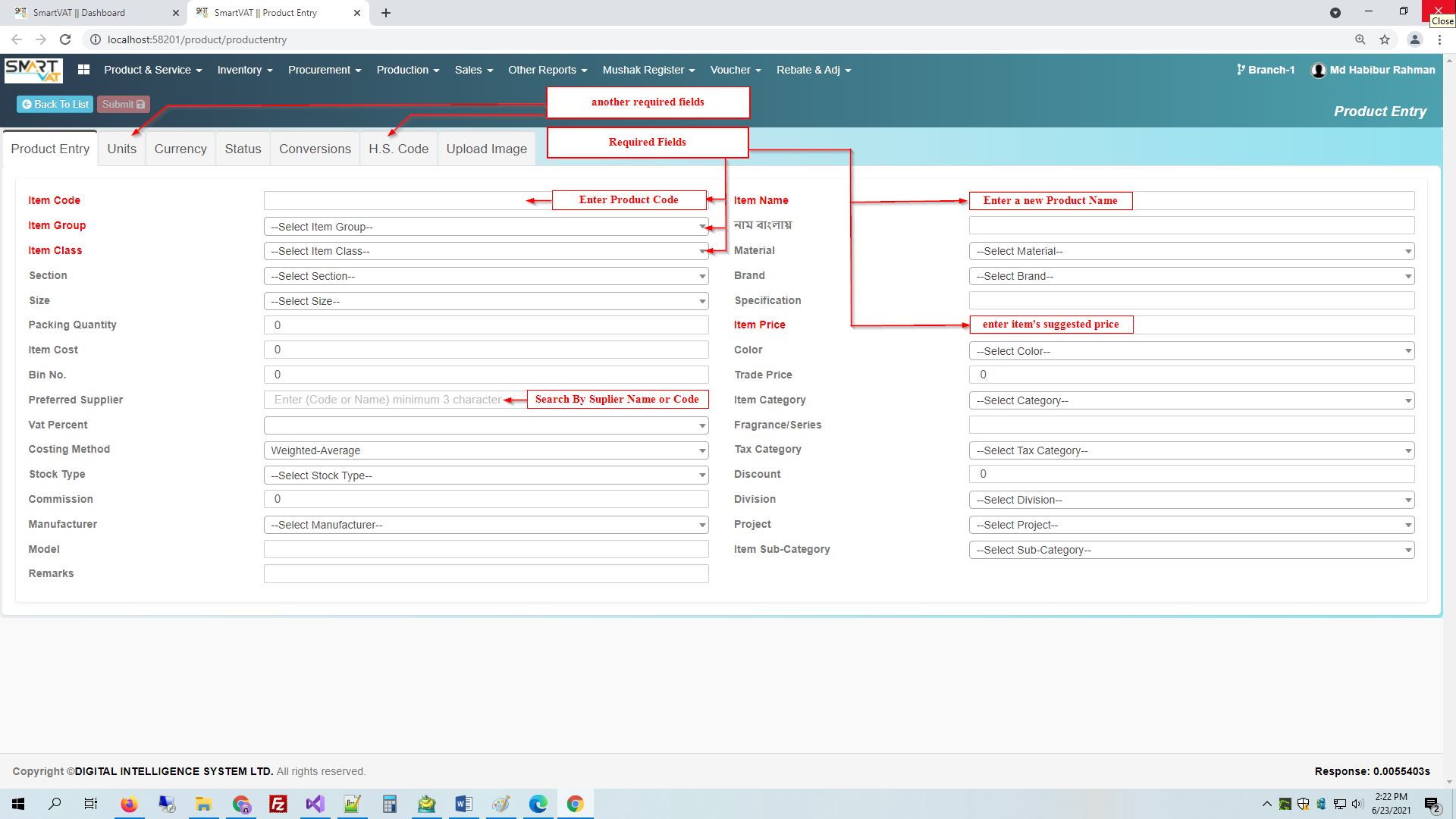
For Entry the new product, here you go- Vat Management>Product & Service> Product Add
Enter Item Name ,Item Code, Item Group, Item Class, Item Price and others information if you know .
Then go Units Tab -
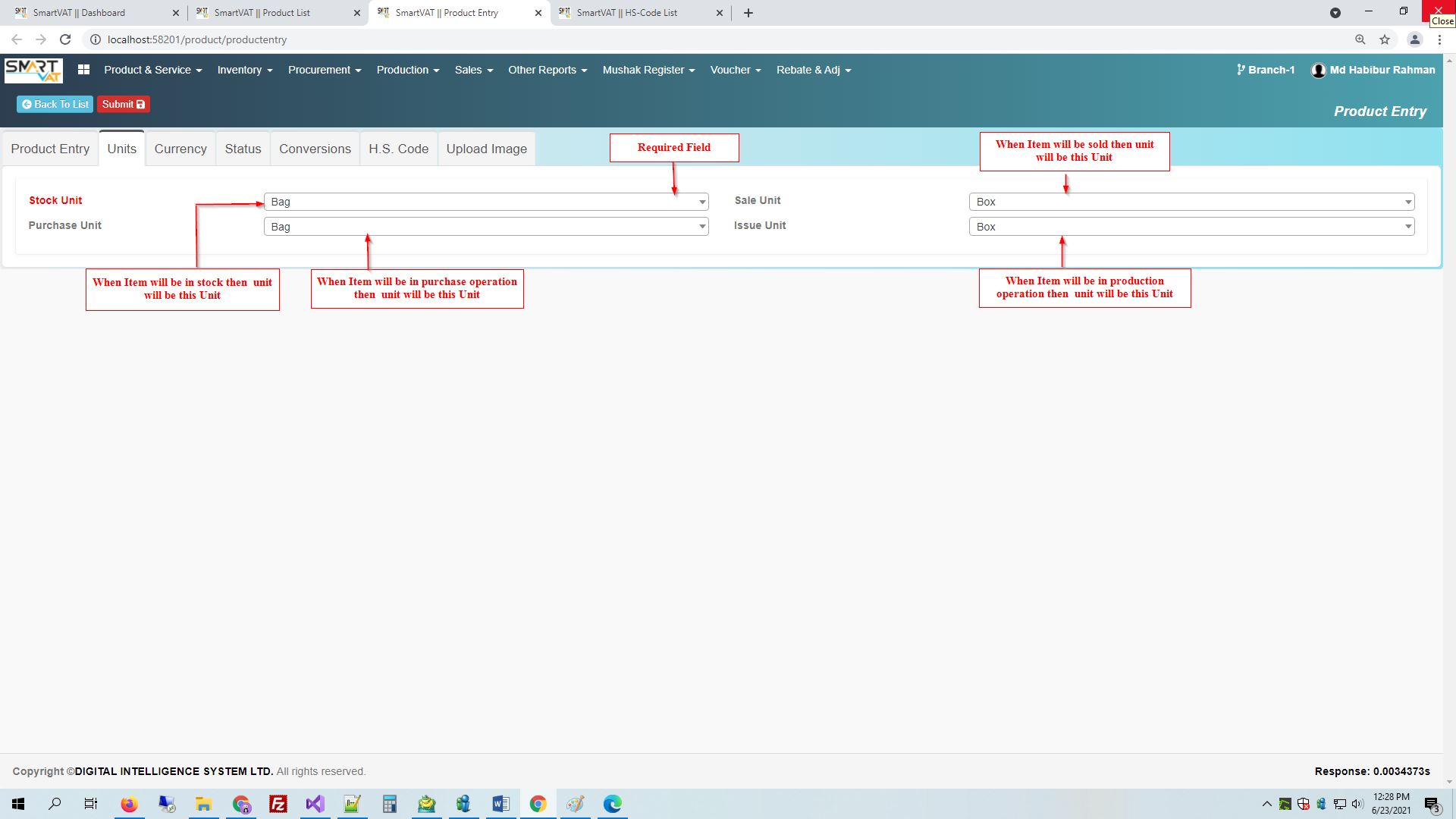
Then go to Units Tab - . others unit are also same type of.
- Stock Unit - for storing this product may be in Bag ,Box etc.and this field is required.
- Purchase Unit - Similiarly Purchase Unit is for purchasing time item's Package type.
- Sale Unit - Similiarly Sale Unit is for selling time item's Package type.
- Issue Unit - Similiarly Issue Unit is for Issue time item's Package type.
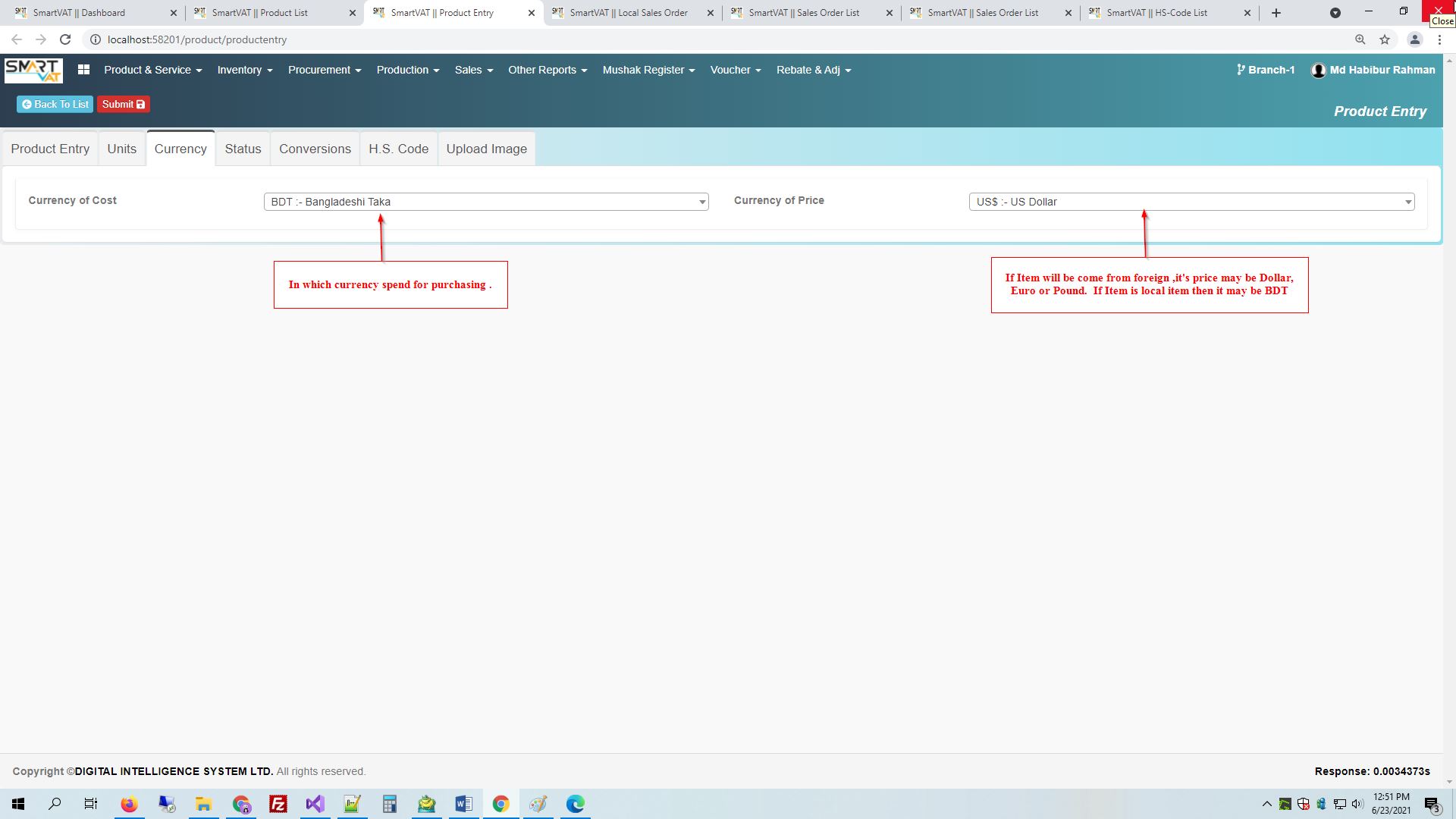
Then go to Currency Tab -
- Currency of Cost - for your own country currency or it may which currency you use for expense.
- Currency of Price - Currency of Price is supplier accepting currency which is product price currency.
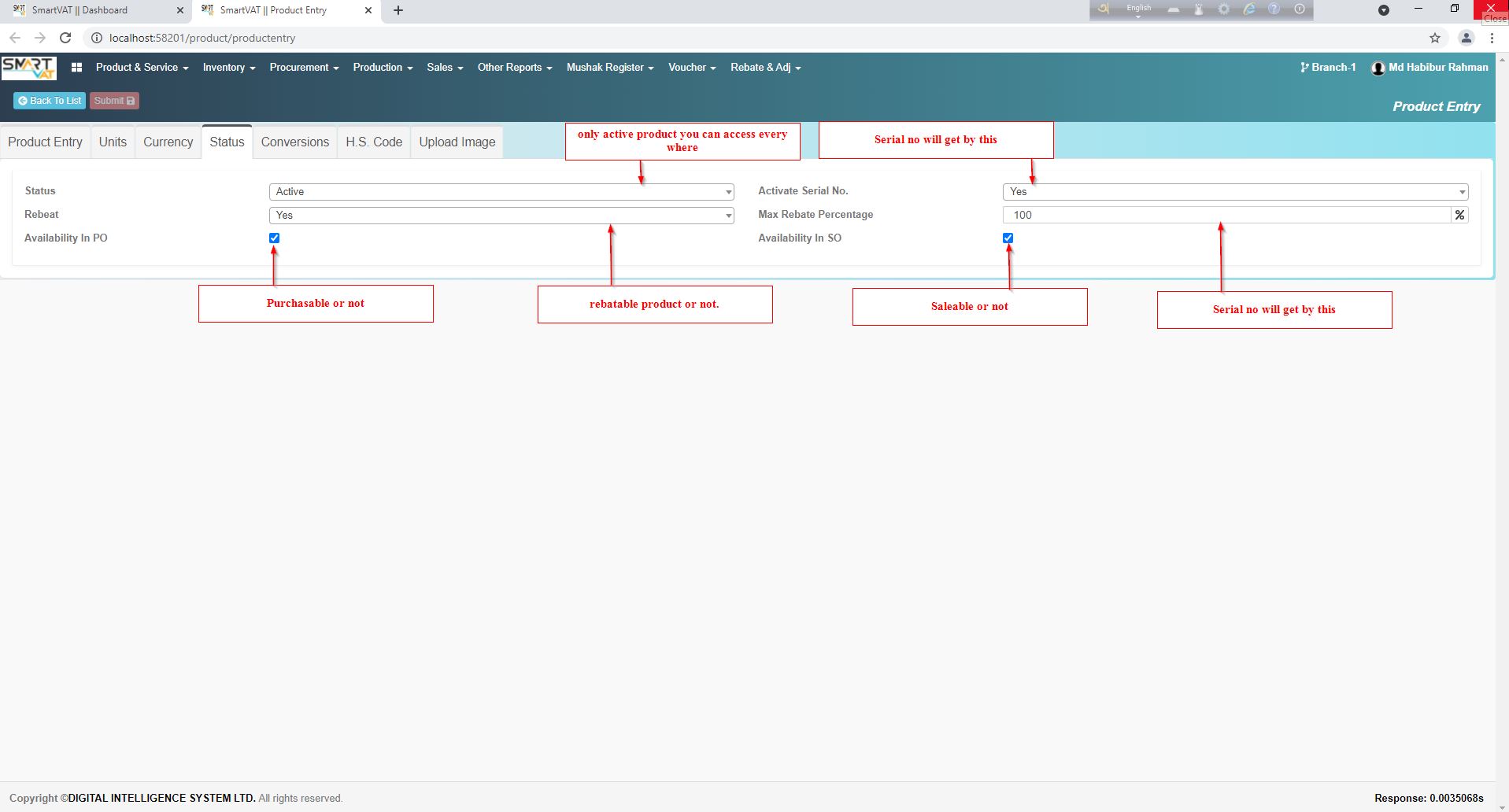
Then go to Status Tab -
- Status - Set this product is Active or not in Status field
- Rebeat - The product is rebatable or no you can set by here.
- Availability In PO- if active this -This product will be able to Purchase
- Activate Serial No.- will provide you Product serial
- Max Rebate Percentage- By Default Max Rebate percentage is 100% . But you can set max percentage .
- Availability In SO- if active this -This product will be able to Sales
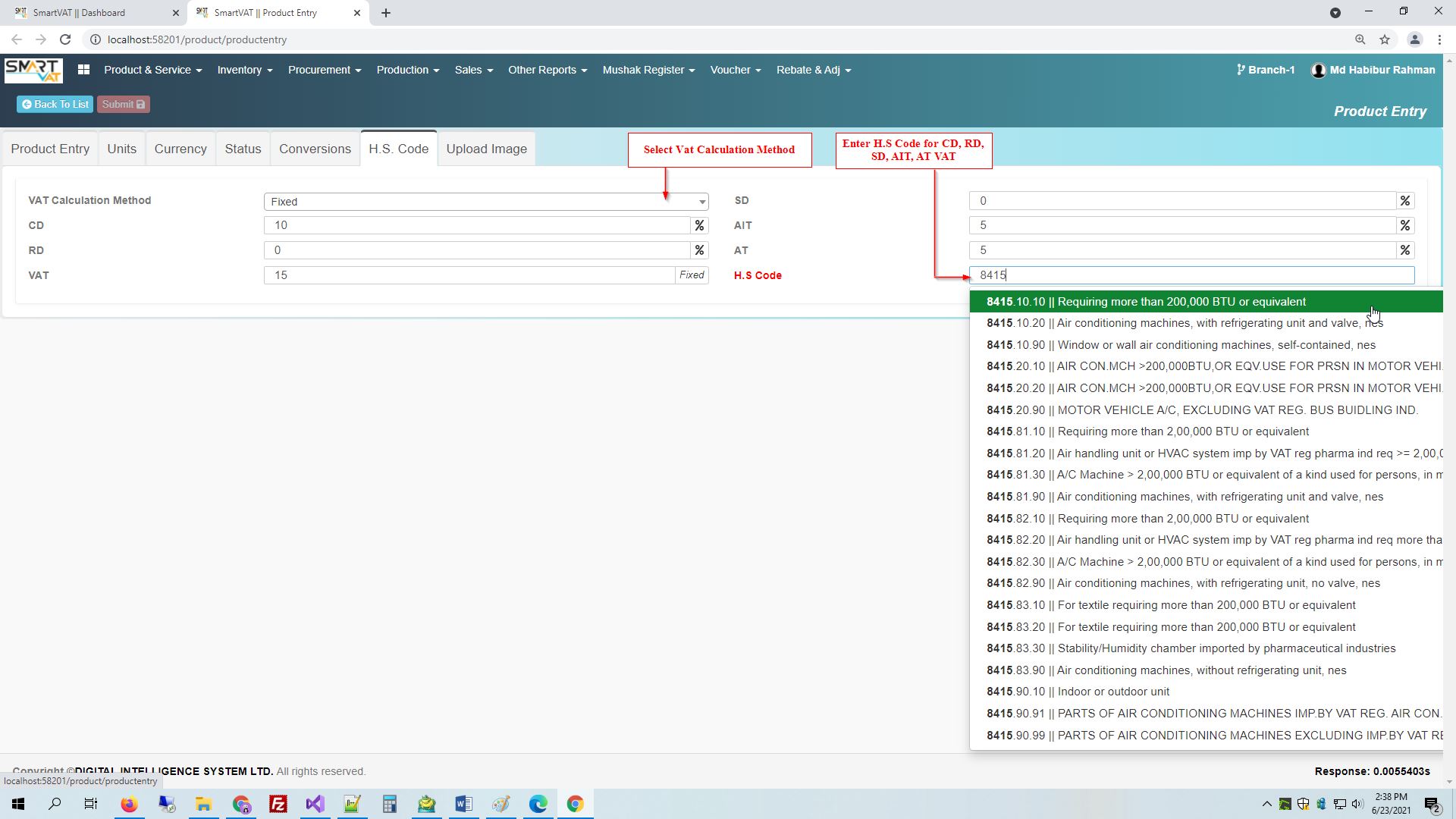
Then go to H.S. Code Tab -
- VAT Calculation Method - Is this item's vat will be set by exempted,Fixed,percent of total cost ,Based on MRP or Fixed vat set this first
- H.S Code - It may help you Item's particular CD,RD,Vat,SD,AIT,AT what have government declare before.
- you also can change CD,RD,Vat,SD,AIT,AT
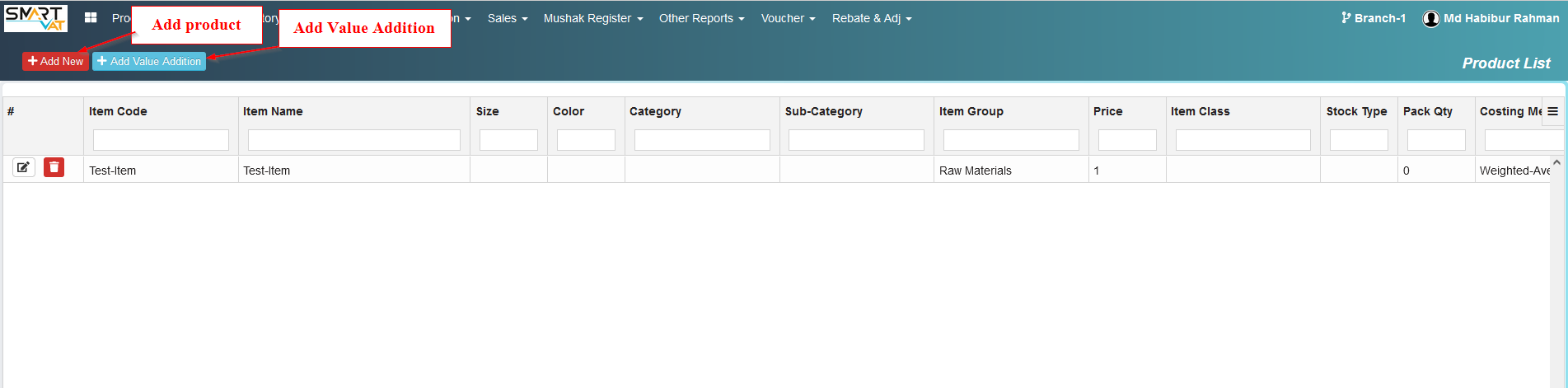
Product List
Product List
For Show the Product List ,here you go -Vat Management>Product & Service> Product List
All Saved Product will find here
H.S. Code Management
H.S. Code Management
For Show the H.S. Codes ,here you go -Vat Management>Product & Service> H.S. Code Management
All Saved HS Code you will find here
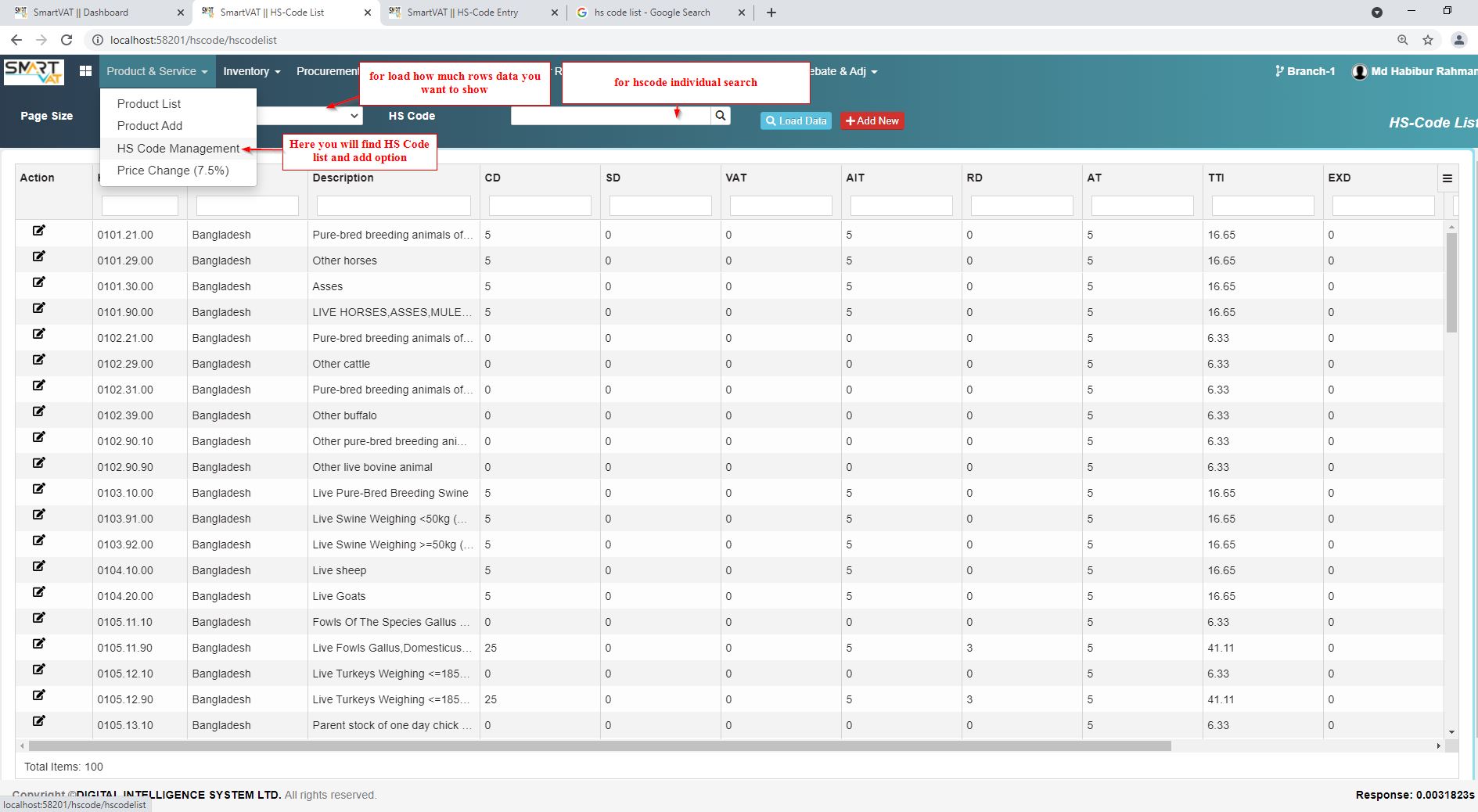
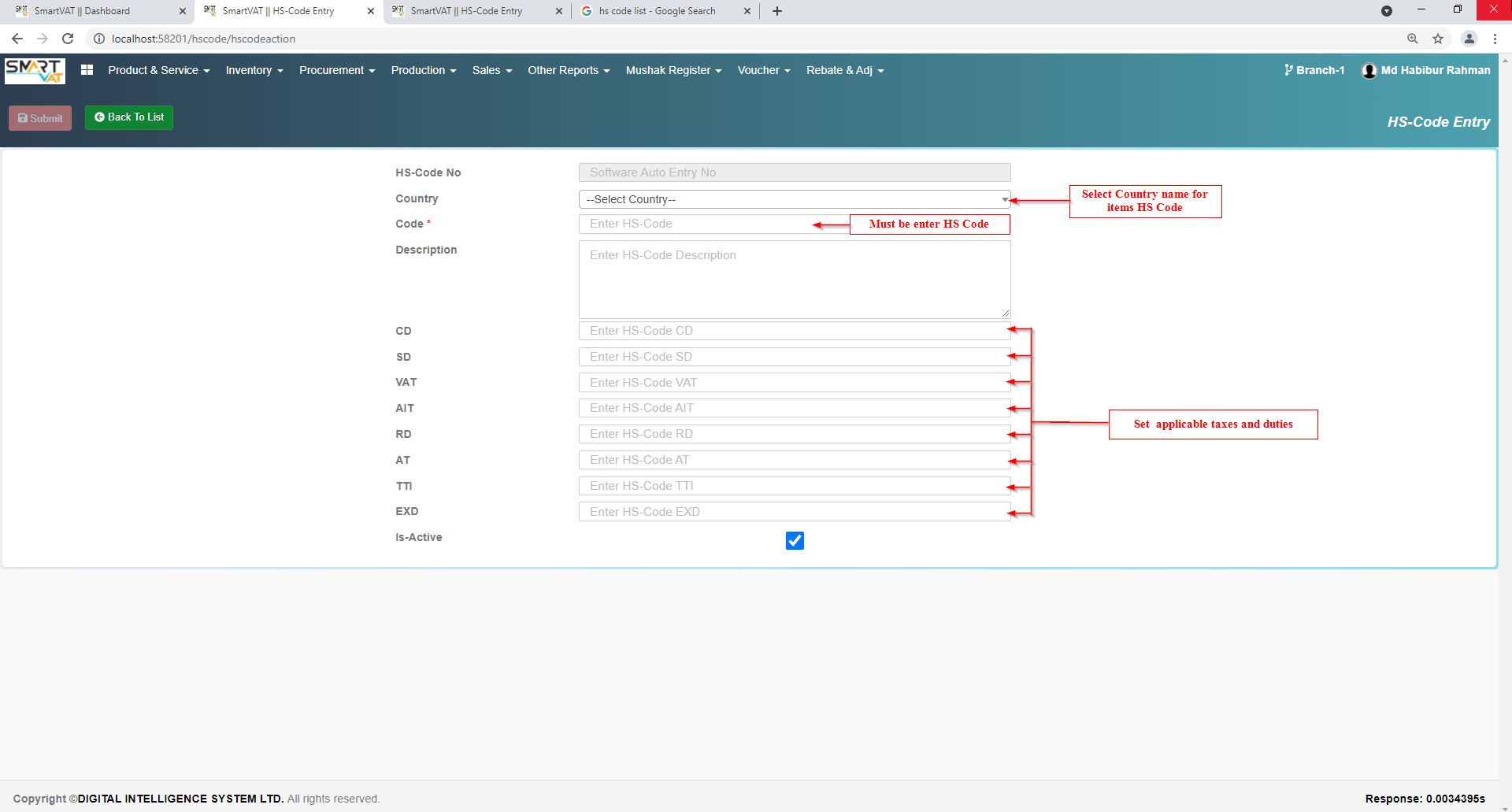
For adding new H.S. Code , here you go -Vat Management>Product & Service> H.S. Code Management>Add new
- You have to set Country and then set code and others fields.